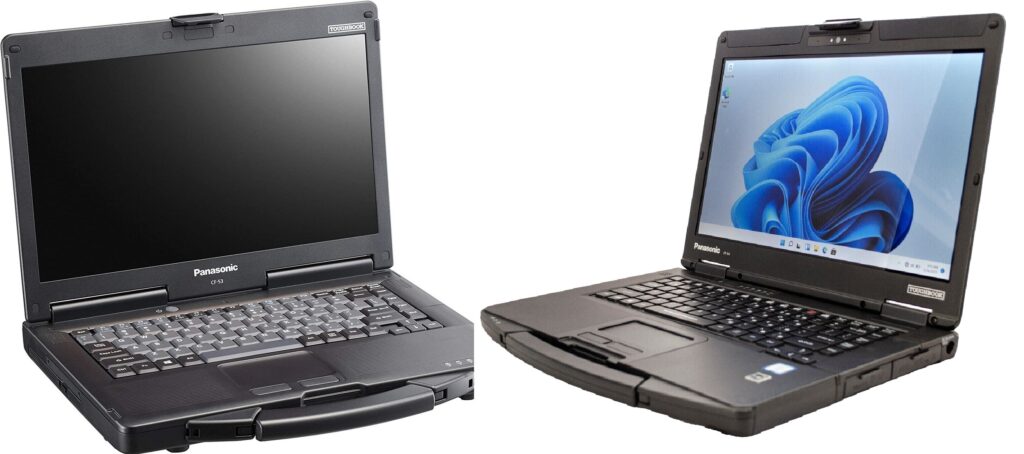
If you are looking for a reliable refurbished rugged laptop, the Panasonic Toughbook CF-54 and CF-53 are two models worth considering. Both were designed for professionals who need a durable computer for workshops, field service, vehicle diagnostics, and demanding work environments.
Although these laptops share many features, the CF-54 introduces a slimmer design, newer processor options, and updated connectivity. The CF-53 remains an attractive choice for buyers who want a practical work laptop at a potentially lower price.
In this guide, we compare the Panasonic Toughbook CF-54 and CF-53 to help you choose the right laptop for your needs.
1. Design and Durability
Both the CF-53 and CF-54 belong to Panasonic’s semi-rugged Toughbook family. They are designed to handle demanding work environments better than typical consumer laptops.
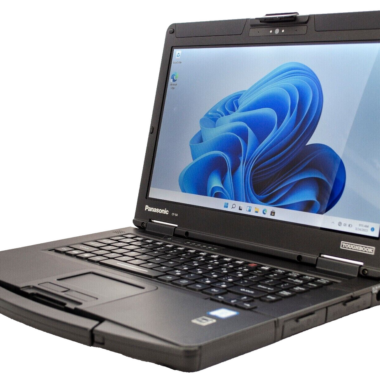
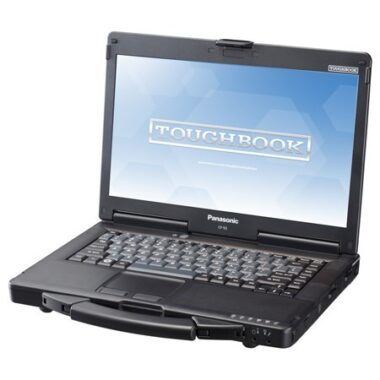
The Toughbook CF-53 features a sturdy design with an integrated carrying handle. It is a practical option for technicians who frequently move between a workshop, office, and job site.
The Toughbook CF-54 builds on this design with a slimmer and lighter body. Its magnesium-alloy construction and spill-resistant keyboard make it suitable for technicians and professionals who need durability without carrying a heavier laptop.
Which is better?
The CF-54 is generally the better choice if portability matters. The CF-53 is still worth considering if you find a well-maintained unit at a competitive price.
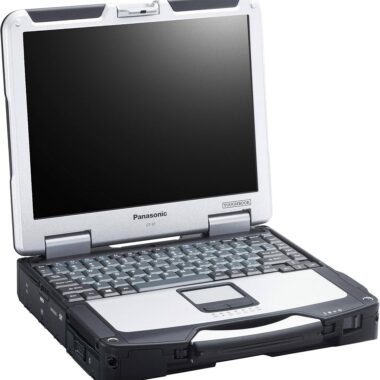
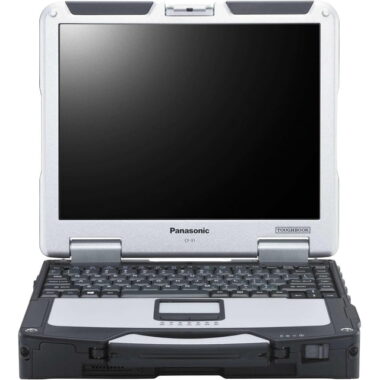
Remember that neither model should be treated as a fully rugged CF-31. Their level of protection and intended use are different.
2. Processor and Performance
One of the main differences between these two models is their processor generation.
The CF-53 was sold with several processor configurations, including third-generation Intel Core processors. The first-generation CF-54, commonly called the CF-54 MK1, includes the Intel Core i5-5300U, a fifth-generation processor.
The newer processor platform makes the CF-54 an appealing option for everyday business tasks, although actual performance depends on the configuration and condition of the laptop.
Both models can handle tasks such as:
- Office applications and document editing
- Web browsing and email
- Inventory and business management software
- Vehicle diagnostic applications that support the installed hardware
- Remote desktop and basic technical support tasks
For demanding modern applications, buyers should check the software’s system requirements before purchasing either model.
Our recommendation: If both laptops have similar RAM, storage, and overall condition, the CF-54 MK1 is generally the more attractive option for its newer platform.
3. RAM and Storage
Memory and storage have a significant impact on the everyday experience of a refurbished laptop.
Both models were offered in different configurations, so the exact specifications depend on the individual unit.
A CF-54 MK1 configured with 8GB RAM and a 250GB SSD is a practical setup for everyday office work, browsing, and many diagnostic applications.
An SSD can make a noticeable difference compared with a traditional mechanical hard drive. It can improve boot times, application loading, and general responsiveness.
Before purchasing a refurbished Toughbook, check:
- The installed RAM capacity
- Whether the laptop uses an SSD or HDD
- The SSD capacity and health
- Whether memory or storage can be upgraded
- The installed operating system and application compatibility
For most buyers, an SSD-equipped laptop is worth considering even if it costs slightly more.
4. Display and Screen Options
The CF-53 and CF-54 were available in different display configurations.
The CF-53 commonly features a 14-inch HD display with a resolution of 1366 × 768.
The CF-54 MK1 was also offered with a 14-inch HD display, while selected configurations feature a Full HD 1920 × 1080 touchscreen with higher brightness.
A touchscreen is not standard on every unit, so check the exact configuration before ordering.
If you work outdoors or in brightly lit workshops, screen brightness and glare resistance may be more important than resolution alone.
Which should you choose?
Choose a CF-54 with a high-brightness touchscreen if you regularly work in bright conditions and need touch input. If you mainly work indoors, a standard display may be sufficient.
5. Ports and Connectivity
Connectivity is especially important for technicians who connect laptops to diagnostic equipment, external displays, networks, and other devices.
The CF-53 offers a range of legacy and modern connections, depending on configuration. These may include USB 2.0, USB 3.0, HDMI, VGA, serial, Ethernet, and a docking connector.
The CF-54 MK1 includes three USB 3.0 ports, HDMI, Ethernet, an SDXC card slot, an audio jack, and a docking connector. Some configurations offer additional ports, such as VGA and a serial port.
| Feature | Toughbook CF-53 | Toughbook CF-54 MK1 |
|---|---|---|
| USB connectivity | USB 2.0 and USB 3.0, depending on configuration | Three USB 3.0 ports |
| HDMI | Available | Available |
| VGA | Available | Optional |
| Serial port | Available on supported configurations | Optional |
| Ethernet | Available | Available |
| SD card reader | Available | SDXC support |
| Docking connector | Available | Available |
| Wi-Fi and Bluetooth | Depends on configuration | Depends on configuration |
If you need a serial port or VGA for older equipment, inspect the actual laptop before buying. These ports are not necessarily present on every CF-54 configuration.
6. Battery and Portability
Battery life depends on battery condition, screen brightness, installed hardware, and how the laptop is used.
The CF-54’s slimmer design makes it appealing to people who regularly carry their laptop between different locations.
The CF-53 remains a useful work machine, particularly when portability is less important than price and the available configuration.
With refurbished laptops, the condition of the battery is especially important. A battery that originally offered long runtime may have significantly reduced capacity after years of use.
Ask about battery health or expected runtime if you need to work away from a power outlet.
7. Which Toughbook Is Better for Vehicle Diagnostics?
Both models can be useful for automotive technicians, but compatibility matters more than the model name alone.
Before purchasing a laptop for vehicle diagnostics, confirm:
- Compatibility with your diagnostic software
- Support for the required Windows version
- Whether your interface requires a USB, serial, or other connection
- Whether the laptop has the specific ports you need
- Whether the software requires a particular processor or operating system
The CF-54 MK1 is an appealing choice if you prefer a newer processor platform and a slimmer design.
The CF-53 may be a sensible alternative if your diagnostic equipment requires older connections and you find a suitable configuration.
Do not assume that every diagnostic application will work with every version of Windows.
8. CF-54 vs CF-53: Which One Should You Buy?
The best choice depends on your budget, software, and intended use.
Choose the Panasonic Toughbook CF-54 if:
- You prefer a slimmer, lighter semi-rugged laptop.
- You want a newer processor platform than many CF-53 configurations.
- You want USB 3.0 connectivity.
- You find a configuration with the RAM, SSD, display, and ports you need.
Choose the Panasonic Toughbook CF-53 if:
- You find one at a significantly lower price.
- Your existing equipment depends on specific legacy ports.
- Its installed hardware meets your software requirements.
- You prefer a particular configuration that is available in good condition.
For many buyers, a refurbished CF-54 MK1 with 8GB RAM and a 250GB SSD is a practical option for everyday business use. However, a well-maintained CF-53 can still offer good value when its specifications match the job.
Final Verdict
The Panasonic Toughbook CF-54 and CF-53 are both designed for professional use, but they suit slightly different priorities.
The CF-54 offers a more modern design and newer processor options, while the CF-53 remains a practical choice for buyers who prioritize price or compatibility with existing equipment.
Before making your decision, compare the processor, RAM, storage, display, ports, battery condition, and installed operating system of the actual unit.
At Laptops Tough, choosing the right refurbished laptop starts with understanding how you plan to use it. Select a configuration that matches your work requirements rather than paying for features you do not need.