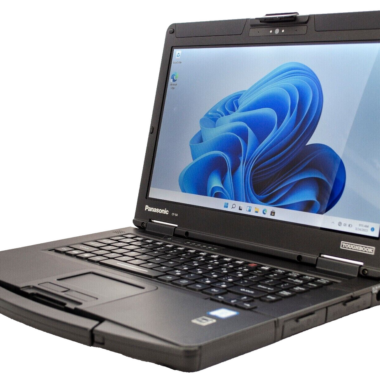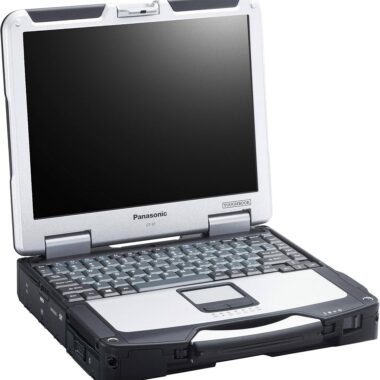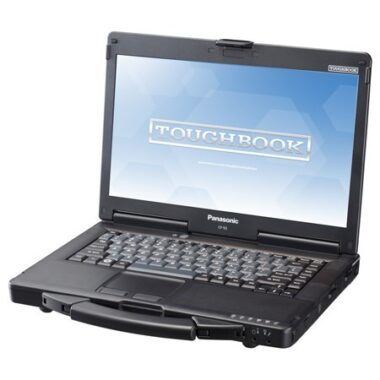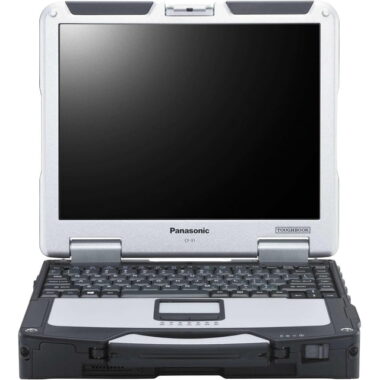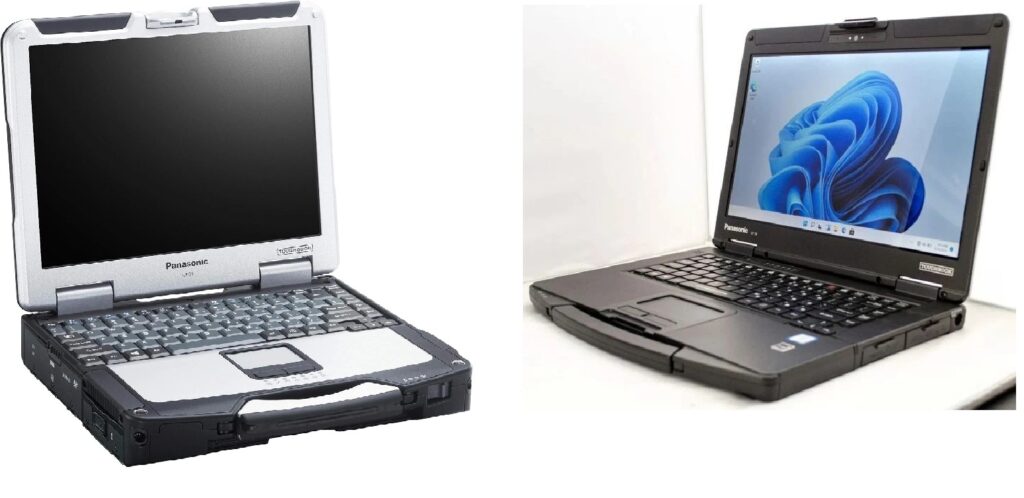
If you are looking for a reliable rugged laptop, the Panasonic Toughbook CF-31 and CF-54 are two models worth considering. Both are designed for professional use, but they offer different advantages. The CF-31 focuses on maximum durability, while the CF-54 offers a lighter design that is easier to carry between workplaces.
Whether you are an automotive technician, field engineer, mechanic, or business owner, understanding the differences between these two laptops can help you choose the right model for your needs.
In this guide, we compare the Toughbook CF-31 vs CF-54, including durability, performance, portability, connectivity, and value.
1. Panasonic Toughbook CF-31 vs CF-54: Overview
The Panasonic Toughbook CF-31 is a fully rugged laptop built for demanding working conditions. Its reinforced construction makes it suitable for outdoor work, industrial environments, and situations where equipment may be exposed to dust, moisture, and rough handling.
The Panasonic Toughbook CF-54 takes a different approach. It combines a durable chassis with a thinner and lighter design. This makes it a practical choice for technicians and professionals who regularly travel between customers, workshops, and job sites.
Both models are available in different hardware configurations, so specifications can vary depending on the model generation.
2. Toughbook CF-31 vs CF-54: Specifications
Here is a general comparison of the two rugged laptops.
| Feature | Toughbook CF-31 | Toughbook CF-54 |
|---|---|---|
| Rugged design | Fully rugged | Semi-rugged |
| Display size | 13.1 inches | 14 inches |
| Portability | Heavier and bulkier | Thinner and lighter |
| Processor | Varies by generation | Varies by generation |
| Memory | Depends on configuration | Depends on configuration |
| Storage | HDD or SSD, depending on configuration | HDD or SSD, depending on configuration |
| Connectivity | Configuration-dependent | Configuration-dependent |
| Best use | Harsh working environments | Mobile technicians and everyday professional use |
Always check the exact model number and configuration before purchasing, especially when comparing processor speed, RAM, storage, screen resolution, and available ports.
3. Which Toughbook Is More Durable?
Durability is one of the biggest differences between the CF-31 and CF-54.
Toughbook CF-31: Built for Tough Environments
The CF-31 is designed for professionals who need a laptop that can handle demanding conditions. Its fully rugged construction makes it particularly suitable for field service, industrial work, and outdoor applications.
Its advantages include:
- Reinforced construction for demanding environments.
- Protection against dust and environmental exposure according to its rated specifications.
- A design intended to withstand rough handling.
- Suitability for mobile service work and industrial applications.
The CF-31 is a good option for customers who prioritize durability over weight and portability.
Toughbook CF-54: Ruggedness in a Lighter Package
The CF-54 offers a more portable alternative. Although it is not as heavily ruggedized as the CF-31, it provides additional durability compared with many conventional business laptops.
Its advantages include:
- A thinner and lighter chassis.
- Easier transportation between workplaces.
- A larger 14-inch display.
- A practical balance between durability and portability.
For technicians who spend much of their time indoors or in workshops, the CF-54 can provide a more convenient everyday experience.
4. Performance: Which One Is Faster?
Neither model is automatically faster simply because of its model number.
The CF-31 and CF-54 were released in multiple generations with different processors and hardware configurations. Performance depends on the specific processor, available RAM, storage drive, and operating system.
For example, a CF-54 equipped with a newer processor and an SSD may feel faster than an older CF-31 with a traditional hard drive.
An SSD can improve startup times, application loading, and overall responsiveness. Adequate RAM is also important when running diagnostic software or several applications simultaneously.
When comparing refurbished Toughbooks, look beyond the model name. Check the processor generation, installed memory, storage type, and compatibility with your intended software.
5. Which Is Better for Automotive Diagnostics?
Both the CF-31 and CF-54 can be suitable for automotive diagnostic work, depending on the software and hardware requirements.
Why Choose the CF-31?
The CF-31 is a strong choice for technicians who frequently work outdoors, visit customers, or operate in environments where equipment may experience rough handling.
Its fully rugged design can be particularly useful for mobile mechanics and field service professionals.
Why Choose the CF-54?
The CF-54 is an attractive option for technicians who work primarily in a garage, repair shop, or dealership.
Its lighter design makes it easier to move around a workshop, while its 14-inch screen provides additional viewing space.
Before purchasing either model, confirm that the laptop supports your diagnostic software, operating system, interface, and required connections. Some diagnostic equipment also requires specific USB, serial, or other ports.
6. Connectivity and Available Ports
Connectivity is another important consideration when choosing a refurbished Toughbook.
Depending on the configuration, these models may offer connections for USB devices, external displays, wired networks, and other professional equipment.
Some versions may include additional expansion options.
If you intend to use your Toughbook with automotive diagnostic interfaces, industrial equipment, or legacy hardware, check the actual ports on the specific unit.
Do not assume that every CF-31 or CF-54 has identical connectivity. Available ports and optional features can differ between configurations.
7. Toughbook CF-31 vs CF-54: Which Offers Better Value?
The better value depends on how you plan to use the laptop and the condition of the unit you are purchasing.
The CF-31 may be worth considering if you need maximum ruggedness and expect to work in demanding environments.
The CF-54 may offer better everyday value if portability, a larger screen, and convenient transportation are more important.
When purchasing a refurbished laptop, consider the following:
- Overall physical condition.
- Battery health and runtime.
- Processor and RAM configuration.
- SSD capacity and condition.
- Screen condition and brightness.
- Keyboard and touchpad functionality.
- Charger availability.
- Operating system and software compatibility.
- Warranty and return policy.
A well-maintained refurbished laptop with an SSD and sufficient memory can be a practical investment for professional use.
8. Who Should Buy the Toughbook CF-31?
The CF-31 is a suitable option for:
- Field service technicians.
- Industrial workers.
- Mobile mechanics.
- Professionals working in demanding outdoor environments.
- Customers who prioritize rugged construction.
If durability is your main concern and you do not mind carrying a heavier laptop, the CF-31 deserves consideration.
9. Who Should Buy the Toughbook CF-54?
The CF-54 is a suitable option for:
- Automotive technicians.
- Computer and electronics technicians.
- Workshop professionals.
- Mobile service providers.
- Business users who need a durable but portable laptop.
If you frequently move between locations and want a rugged laptop that is easier to carry, the CF-54 may be the better fit.
10. Final Verdict: Toughbook CF-31 or CF-54?
Choosing between the Panasonic Toughbook CF-31 and CF-54 comes down to your working environment.
The CF-31 is the better choice when maximum ruggedness is the priority. It is designed for demanding conditions where durability matters more than portability.
The CF-54 is the better choice for many everyday professional applications. Its lighter design and larger display make it convenient for technicians, mechanics, and business users who need a dependable mobile computer.
Before making your decision, compare the exact processor, RAM, SSD, battery condition, and available connections of the individual laptops.
Looking for a refurbished Toughbook? Explore the available Panasonic Toughbook models at Laptopstough.com to find a configuration that matches your work requirements and budget.